compute
Public IPv4
Two flavours of public IPv4 — ephemeral (allocated at boot, lost on stop) and reserved (independent lifecycle, can move between VMs).
A VM has a routable public IPv4 if and only if a public IPv4 is attached to its primary network interface. There are two ways to attach one:
- Ephemeral — pass
--allocate_public_ipv4atexc compute create. The IP is allocated to the VM and released when the VM is terminated. If you stop the VM, you keep the IP only until the VM is terminated. - Reserved — call
exc compute publicip reserveto claim an IP that exists independently of any VM. You then associate it with a VM (and later disassociate it to attach somewhere else, or release it to give it back). Reserved IPs are the only way to keep the same address across VM terminations and DNS records.
IPv6 is configured by the subnet — every VM gets one without you doing anything.
Reserve
exc compute publicip reserve --name web-prodThe reservation has its own ID and outlives any VM. The IP itself is allocated from Excloud’s pool; you don’t get to pick the address.
You can also reserve and associate in one shot by passing the target interface:
exc compute publicip reserve --name web-prod --interface_id 99Associate / disassociate
Public IPs attach to a VM’s network interface, not the VM directly. Get the interface ID from exc compute get --id <vm-id> (it’s the id of the entry in network_interfaces).
exc compute publicip associate    --reservation_id 17 --interface_id 99
exc compute publicip disassociate --reservation_id 17
A reservation can be attached to at most one interface at a time. Disassociating leaves the reservation in place and free for the next associate.
Inspect
exc compute publicip list
exc compute publicip get    --id 17
exc compute publicip rename --reservation_id 17 --name api-prod
Console
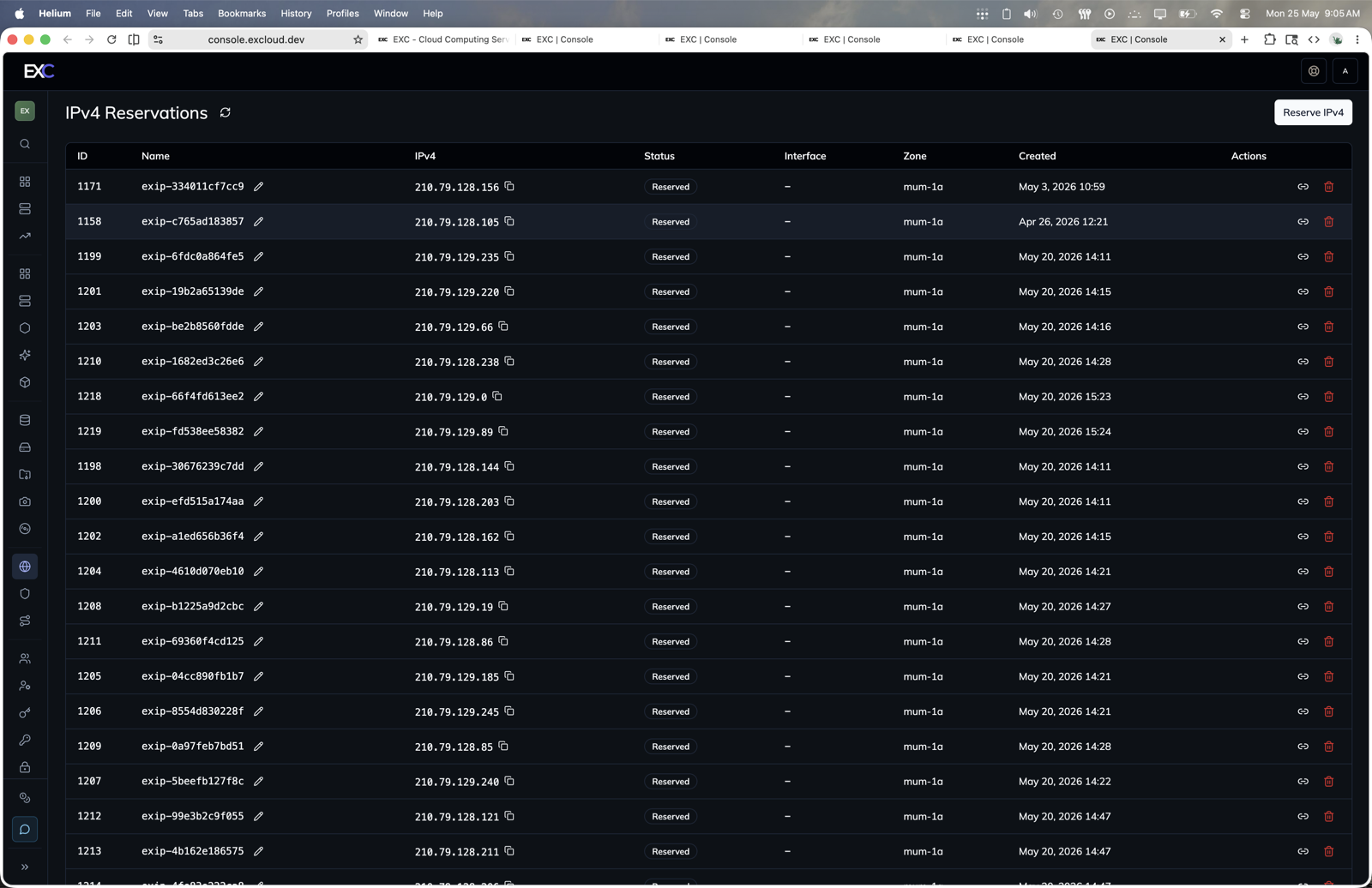
- Open console.excloud.dev/console/compute/public-ipv4.
- Click Reserve IPv4 to reserve a stable address.
- Use the row actions to associate, disassociate, rename, or release a reservation.
Release
exc compute publicip release --reservation_id 17Releases the IP back into Excloud’s pool. You don’t get the same address back if you reserve again.
When to use which
| Need | Use |
|---|---|
| Throwaway dev VM, no DNS | Ephemeral (--allocate_public_ipv4) |
| Production frontend with DNS pointing at it | Reserved |
| Need to fail over between two VMs | Reserved (disassociate / reassociate) |
| Just need outbound internet | Either — outbound works without any public IPv4 |
Required permissions
Reserve, associate, disassociate, release, list, get, rename all fall under the compute:* wildcard or finer-grained actions in that namespace. Today there is no separate compute:publicipv4:* family — these actions are authorized via the broader compute permission set.
Terraform
The matching resource is excloud_public_ipv4. The example below provisions a VM with a stable IP that survives recreation:
resource "excloud_public_ipv4" "web" {
  name = "web-prod"
}

resource "excloud_compute_instance" "web" {
  # ... other args ...
  public_ipv4_reservation_id = excloud_public_ipv4.web.id
}